top of page
Process Documentations
Blog for work in progress works every week in VFX 420
Entry #1 Project #1
1/6/26
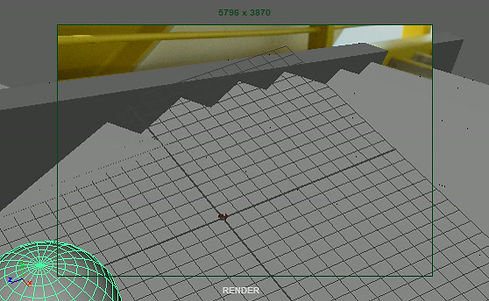
Found the ground plane of image. Deciding between two ideas for object.
1) A bottle falling down the stairs like the Tik Tok videos
- Or -
2) An extremely bouncy ball so much that it deforms when it hits the stairs like a cartoon

Entry #2 Project #1
1/11/26
With my original idea of the Tik Tok trend bottle exploding and going down the stairs, I realized the reason why we aren't doing a transparent object. Missed the instructions on how to do the lighting and HDRI line up. Instead im using my time until the next class to work ahead on the ball rolling, since I am doing the staircase photo. I am working on how it will roll down the stairs with simulations.
Entry #3 Project #1
1/13/26
Got more clear instructions from last class. I am mostly cought up with the progress of the class. also worked on ball bouncing simulations, now have it dialed.


Entry #4 Project #1
1/18/26
Finally got my project into nuke! set up and exported render layers and started compositing them together
Entry #5 Project #1
1/24/26
DONE! but had a problem with the final export color

Project #2

Entry #1 Project #2
1/28/26
learned about camera tracking in preparation for project 2


Entry #2 Project #2
2/1/26
got the background and reference for project 2
Entry #2 Project #2
2/3/26
Added a test grey ball to the scene. Not perfect but it's a start. Everything is tracked well considering it's my first time 3d tracking in Nuke. some image formatting issues. Biggest problem is the shadow plate not being tracked. It was a work in progress

Entry #3 Project #2
2/5/26
Got rock material into nuke. it's not dialed in yet, but the script structure in nuke is set. fixed the shadow from last entry so it lines up bricks and perspective
Entry #4 Project #2
2/7/26
Added shadow for the dragon. dialed in more of the object, but still a work in progress.


Entry #5 Project #2
2/9/26
Nuke script as of 2/9/26
Entry #6 Project #2
2/10/26
First put together video!
obviously still I work in progress and low quality. Color is a lot closer to the reference. Have some issues with the shadow on the ball. Animation is a little stiff and speeds change a lot, need to work on that. Some formatting issues to also get corrected. Good to see its coming together though. Nuke script hasn't really changed since last update.


FINAL VIDEO!
Project #3
Entry #1 Project #3
2/16/26
For my last project I am going to do a white monster box. I have no idea what is going to be inside it or where it is going to be. somewhere like a fridge could be a good idea.


Entry #2 Project #3
2/21/26
Video plates have been filmed and ready for the next steps.
Entry #3 Project #3
2/22/26
Plate has started tracking with no success. Tracking the footage did not want to load into Maya. With lots of troubleshooting it eventually worked, but was not nearly the right perspective after about a dozen attempts. even the someonewhat ok ish attempts where still slipping very much and would almost stop halfway through.


The attempts that were promising
Entry #4 Project #3
2/24/26
Camera Tracking is working. Perspective is completed. Box is animation is completed! Played around with Mixamo, but couldn't get the characters to import all the way. Overall very productive work session, box falls apart when camera moves though.


MOVED
STATIONARY

Entry #5 Project #3
2/27/26
Slap comp! looking to fix a few things like the reflection fall off and values per the reference image. Yes, I know I need to add the objects. Maximo doesn't seem to like textures.
REFERENCE IMAGE

Entry #6 Project #3
3/1/26
Node tree as of 3/1/26.


Entry #7 Project #3
3/2/26
Post slap comp edits as of late. Mainly changed the reflection mask from the shadow in previous slap comp to the actual reflection as a mask.
Entry #8 Project #3
3/3/26
Mostly finished Comp! A few things to button up and then it's done.
1) geometry issue with the flaps.
2) Color correction on the front of the box.
3) color correction on the inside of the box.


Entry #9 Project #3
3/6/26
Of course, my file wanted to corrupt now of all times. fixed the file after a long process of rebuilding textures and render layers. With that I did manage to button up everything from the previous entry! fixed geometry issue with the flaps. and made some color correction on the front and inside of the box. as well as render and comp the grey ball. finally, I fixed right side flap not moving all the way as discussed in class.


Entry #10 Project #3
3/7/26
Submitted final video! With all the hurdles that happened last entry this one went surprisingly more smoothly than the previous day. Had to do some problem solving with the final composite as some things were changed with the reconstruction in last entry. Overall went pretty well in terms of rendering and final submissions, just some hurdles in the comp phase. Will be returning to this project for the press kit as I definitely see an improvement compared to project 1. Looking forward to doing the press kit in the next few days.

bottom of page